IMO Automation manufactures Programmable Logic Controllers, Human Machine Interfaces and a variety of electrical components used for Industrial Automation.
Uploading the Program to the PLC
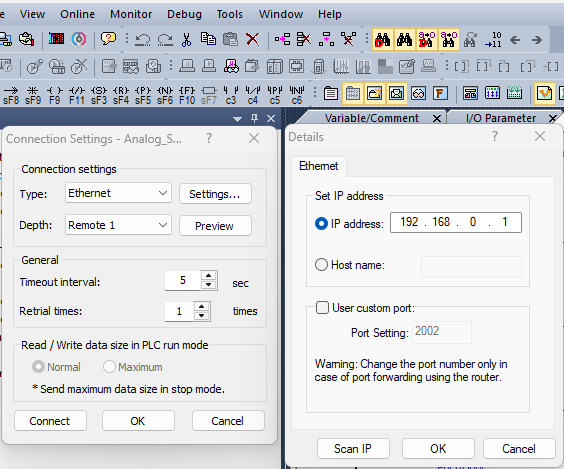
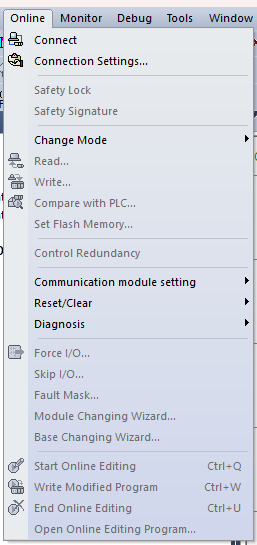
Click on Online, setup the Ethernet settings to communicate to the device
Programmable Logic Controllers are Often Networked so that other machines can make requests to operate certain features.
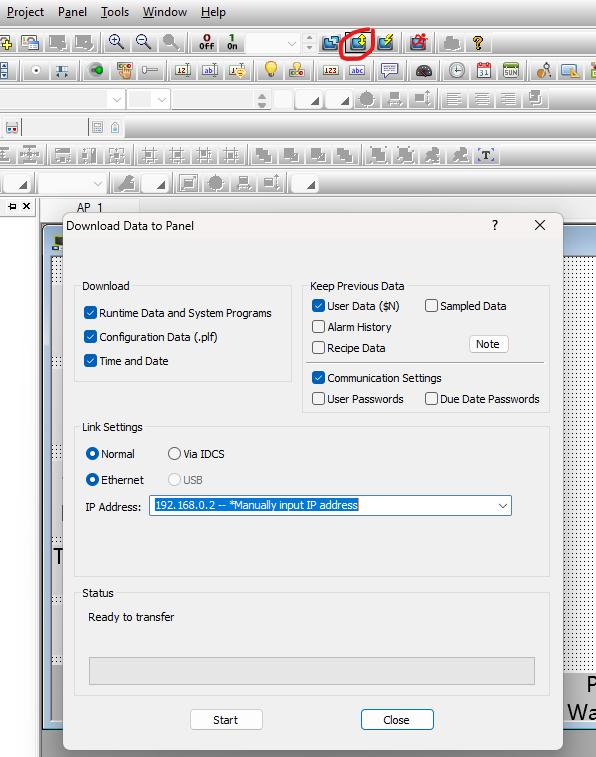
Iview to HMI Send Program
Setting up TCP Connections and Modbus local memory allocation
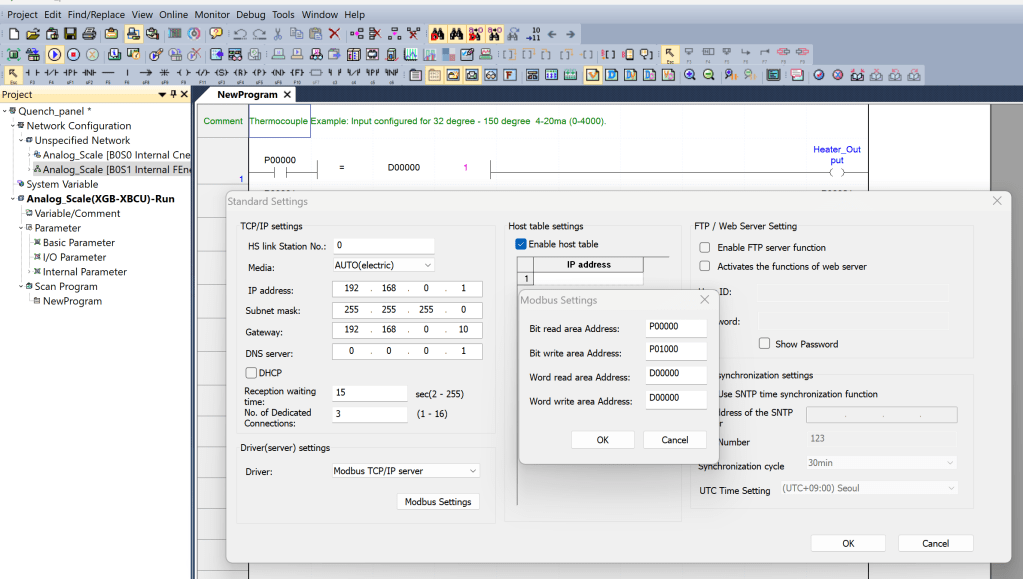
The first three octets of the IP address are network addresses and must be on the same network to communicate to each-other. The last octet or Host ID must be unique per device.
Set your local Ethernet Settings
Search in your bottom search bar of Microsoft Windows to find your device’s local Ethernet settings. You must have an Ethernet port or USB-C Hub with an Ethernet port for your computer to find Ethernet settings
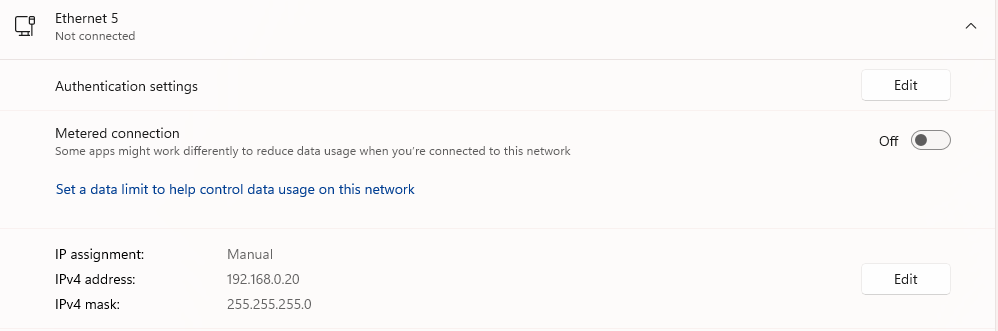
Select Edit of the IP, Make sure that the IP address is Fixed instead of DHCP, Fix your IP address to a different address than that of the machines you are attempting to communicate to
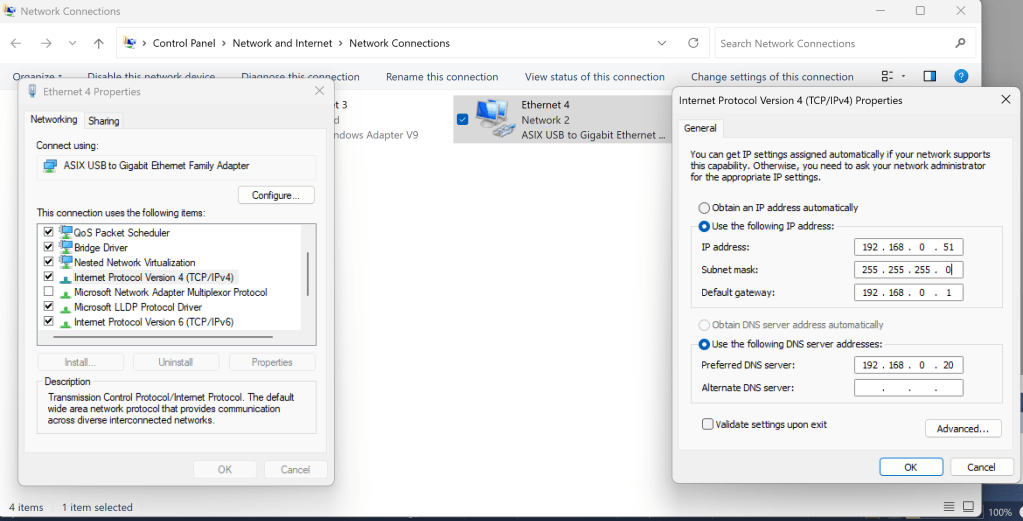
Using the network we can transfer data between a Programmable Logic Controller to a Human Machine Interface or to other Programmable Logic Controllers
After Clicking Connect, and properly connecting to the PLC, the Write… field will be accessible to “Write” the program from the software to the PLC
Iview HMI by IMOAutomation
Example, Set Instrument Scale on HMI and pass to PLC
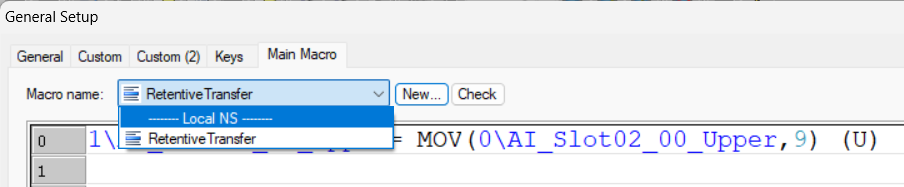
Move words from an HMI Retentive Memory to a Programmable Logic Controller over Modbus
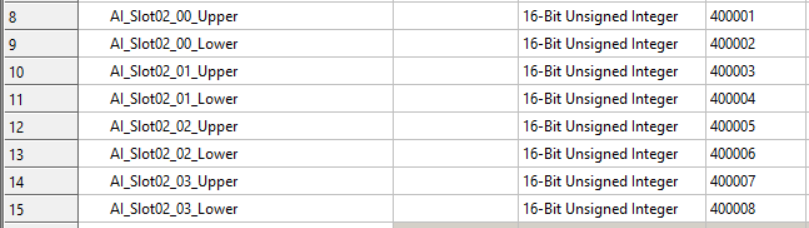
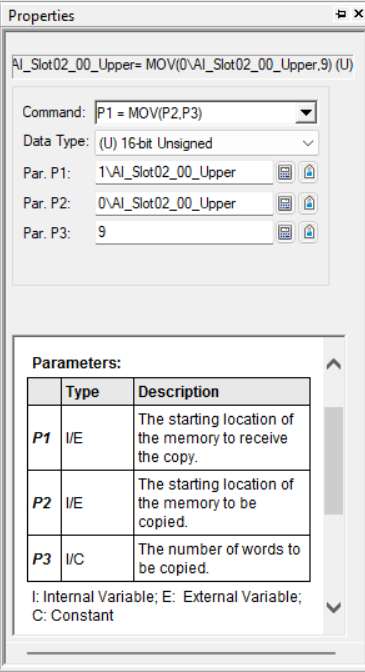
Set Node 1\ and tag AI_Slot02_00_Upper to Node 0\ tag AI_Slot02_00_Upper and an array of 9 words of data.

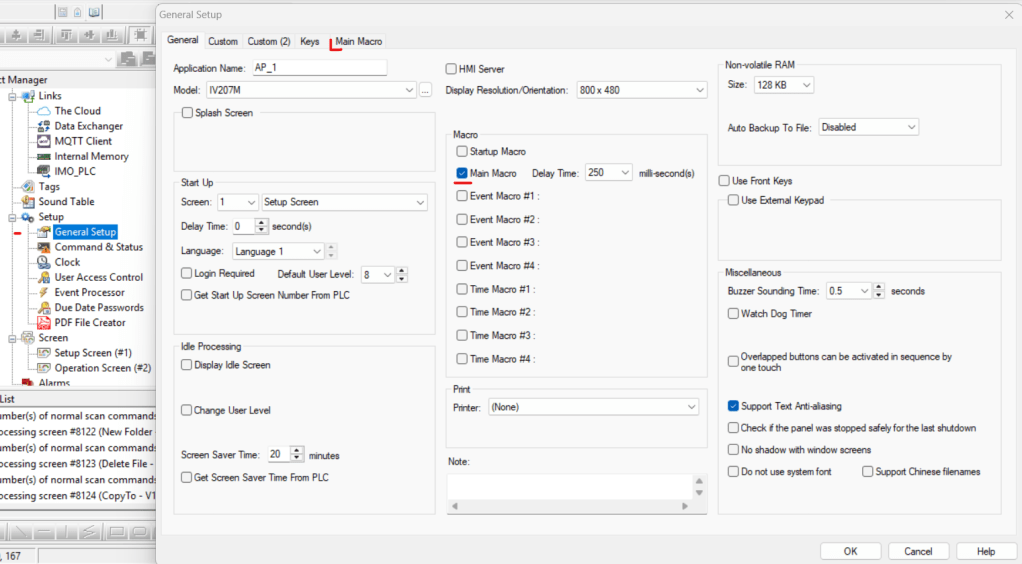
When you want a Macro to Passively Operate it must be added to the general setup